Anonymous user
Compost Bin: Difference between revisions
From The Blockheads Wiki
Updated for version 1.7
>Thantos 13 mNo edit summary |
>McClaw (Updated for version 1.7) |
||
| (3 intermediate revisions by 3 users not shown) | |||
| Line 1: | Line 1: | ||
{{Item Infobox | {{Item Infobox | ||
|Name=Compost Bin | |Name=Compost Bin | ||
| Line 5: | Line 4: | ||
|Category=Crafting Surface | |Category=Crafting Surface | ||
|Use=Crafting | |Use=Crafting | ||
|Stackable=Yes (99) | |Stackable=Yes (99) | ||
}} | }} | ||
:''"Make compost."'' | :''"Make compost."'' | ||
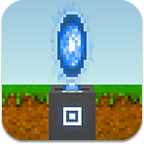
The '''compost bin''' is a [[Crafting Surface|crafting surface]] that allows players to create [[compost]]. It was introduced in [[Game updates/20141119|version 1.6]]. | |||
The '''compost bin''' is a [[Crafting Surface|crafting surface]] that allows players to create [[compost]]. It was introduced in [[Game updates/20141119|version 1.6]]. | |||
==Appearance== | ==Appearance== | ||
| Line 51: | Line 47: | ||
{{Bench|entry|Compost|Plants & trees grow better.|5|Cherry|Time2=4}} | {{Bench|entry|Compost|Plants & trees grow better.|5|Cherry|Time2=4}} | ||
{{Bench|entry|Compost|Plants & trees grow better.|5|Chilli|Time2=4}} | {{Bench|entry|Compost|Plants & trees grow better.|5|Chilli|Time2=4}} | ||
{{Bench|entry|Compost|Plants & trees grow better.|5|Tomato|Time2=4}} | |||
{{Bench|entry|Compost|Plants & trees grow better.|5|Wheat|Time2=4}} | |||
{{Bench|entry|Compost|Plants & trees grow better.|5|Kelp|Time2=4}} | {{Bench|entry|Compost|Plants & trees grow better.|5|Kelp|Time2=4}} | ||
{{Bench|entry|Compost|Plants & trees grow better.|5|Vine|Time2=4}} | {{Bench|entry|Compost|Plants & trees grow better.|5|Vine|Time2=4}} | ||
| Line 67: | Line 65: | ||
Remove causes the selected blockhead to move to the compost bin and place it in his/her [[inventory]]. | Remove causes the selected blockhead to move to the compost bin and place it in his/her [[inventory]]. | ||
Compost Bin opens the crafting menu, showing a left-right scrollable list of icons. See [[Crafting]] for details about how to use the menu. Tapping the "Craft" button (if visible) will add the task to the | Compost Bin opens the crafting menu, showing a left-right scrollable list of icons. See [[Crafting]] for details about how to use the menu. Tapping the "Craft" button (if visible) will add the selected task to the active blockhead's queue. | ||
Tapping outside of the menu will close the menu with no action taken. | Tapping outside of the menu will close the menu with no action taken. | ||
==Notes== | |||
[[Tomato]]es and [[wheat]] were added in [[Game updates/20180314|version 1.7]]. | |||
==Trivia== | |||
Although a [[blockhead]] has to be actively working at a compost bin to craft [[compost]], in real life, {{wp|Compost|compost}} is made by putting in organic materials and waiting for it to decompose. | |||
[[Category:Item]] | [[Category:Item]] | ||
[[Category:Block]] | [[Category:Block]] | ||
[[Category:Crafting Surface]] | [[Category:Crafting Surface]] | ||